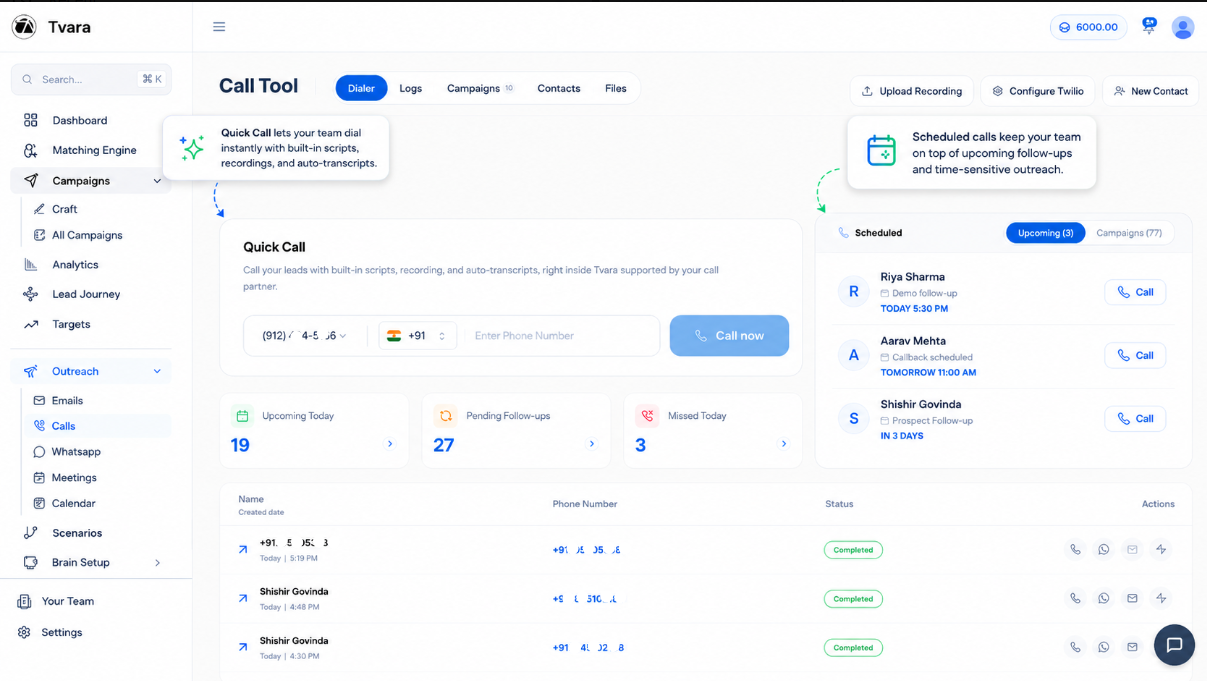
Call your leads without leaving the platform.
Open the lead, understand the context, use the right script and place the call from one workspace. Signal keeps every part of the conversation connected from the first dial onward.
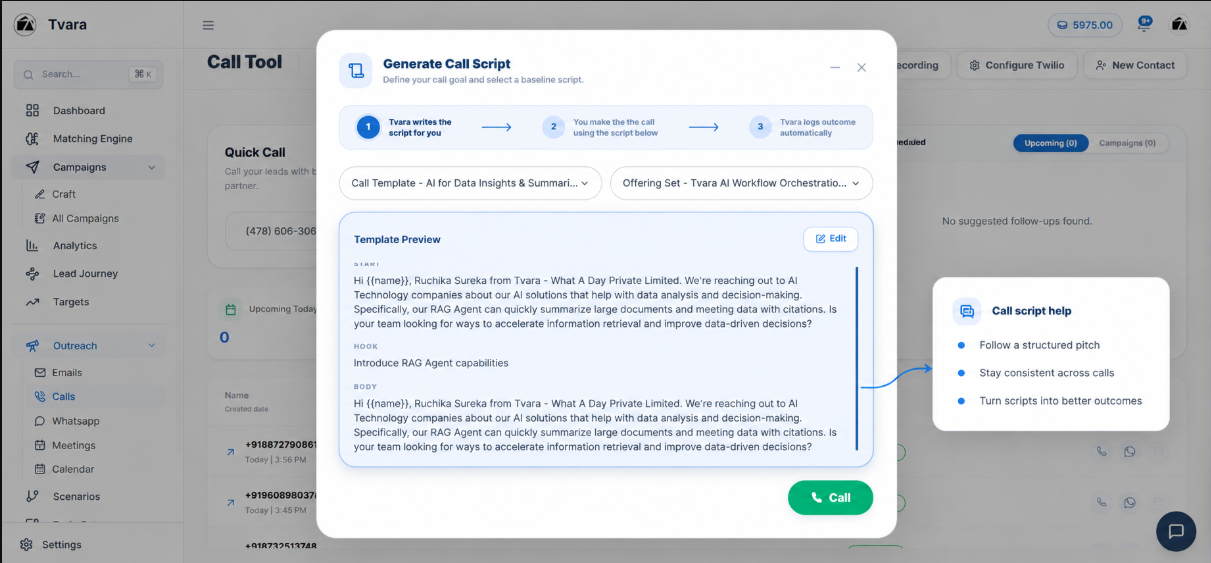
Know exactly what to say before the lead answers.
Signal prepares a structured conversation using the offer, the lead, the campaign and the objective of the call. Every executive gets a clear opening, discovery flow, objection response and closing direction.
The system acts on whatever was said on the call.
Once the conversation ends, Signal identifies the commitments, next steps and lead outcome. It creates the required follow-up so the executive does not need to remember every promise or manually recreate the work.
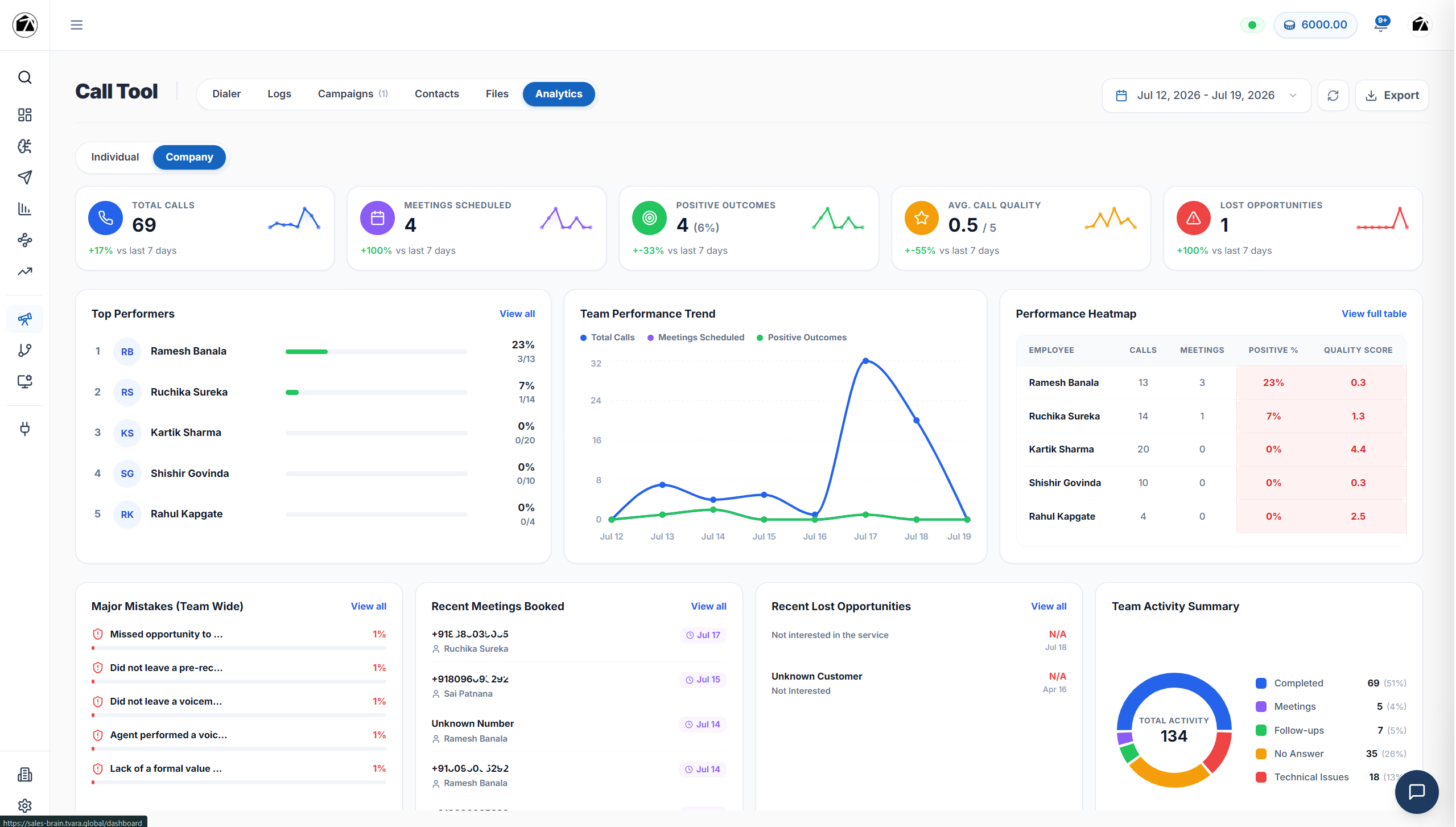
Managers get an instant complete view of everything.
The moment calls end, managers can see what happened across the team without asking every executive for an update. Activity, outcomes, objections, follow-ups and opportunity movement remain visible in one place.
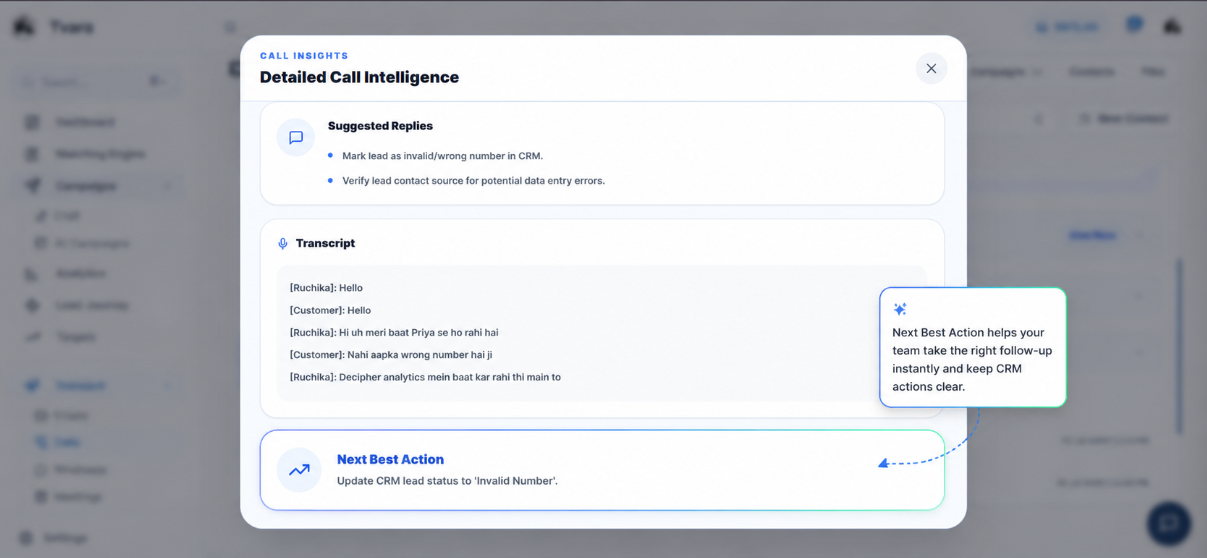
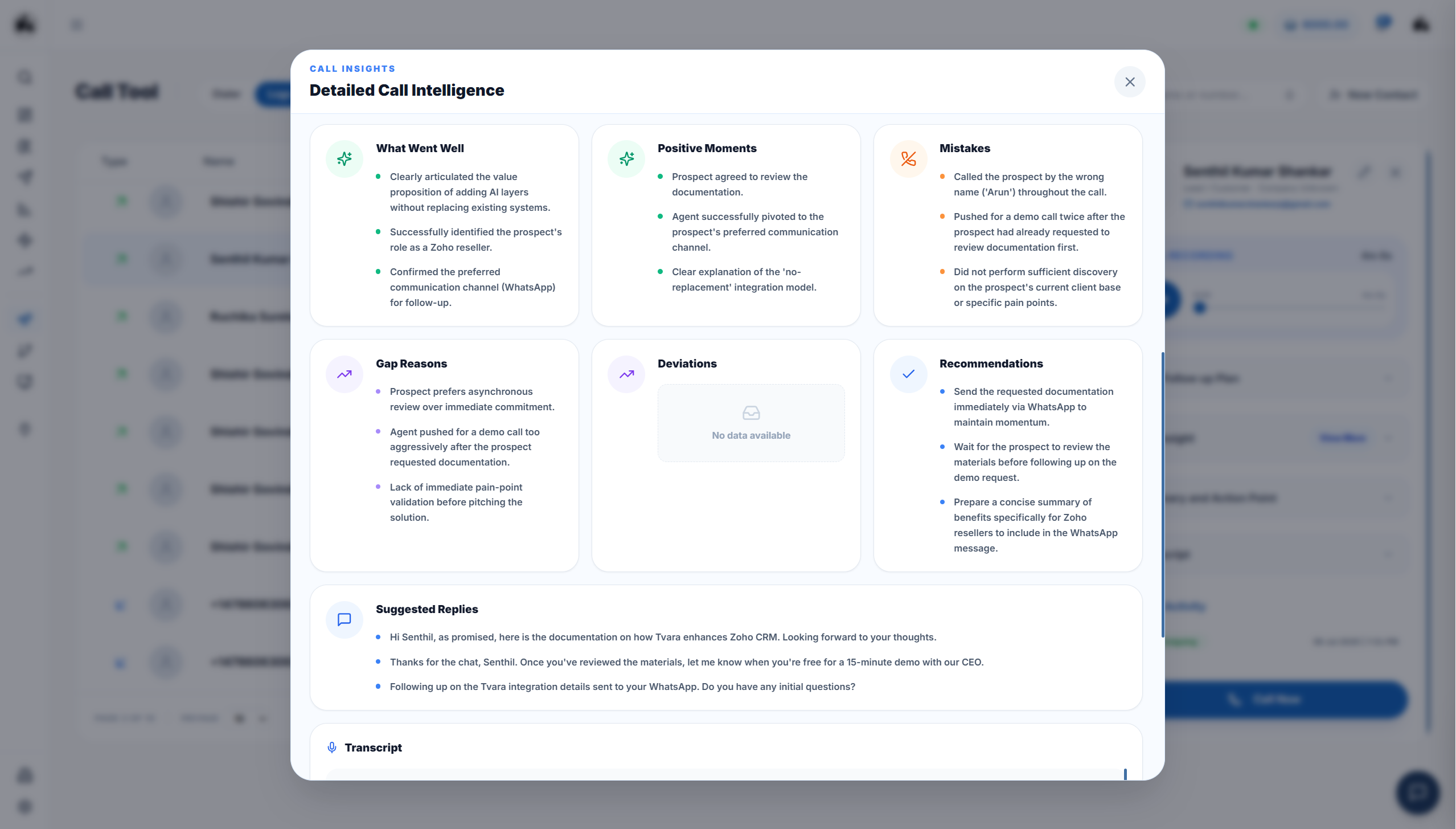
Understand the entire call within seconds.
Signal converts the conversation into useful intelligence. The executive and manager can immediately understand the lead’s intent, questions, objections, commitments and final outcome without replaying the full recording.
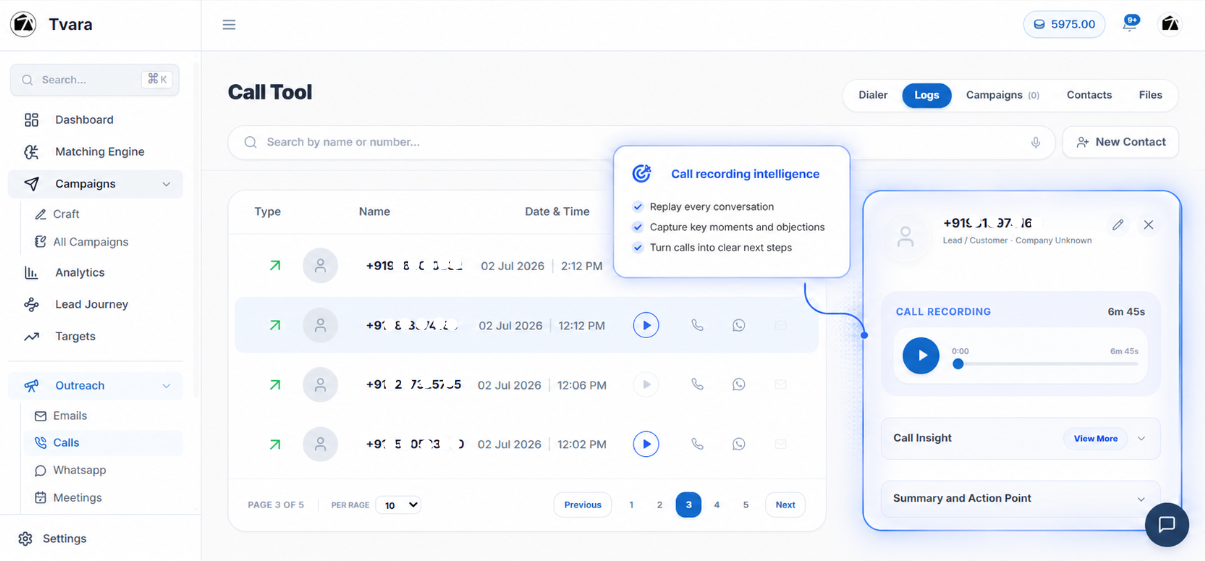
Every conversation keeps a complete, searchable memory.
All calls remain connected to the correct contact with their recording, duration, status and outcome. Anyone taking over the lead can understand the history before making the next call.
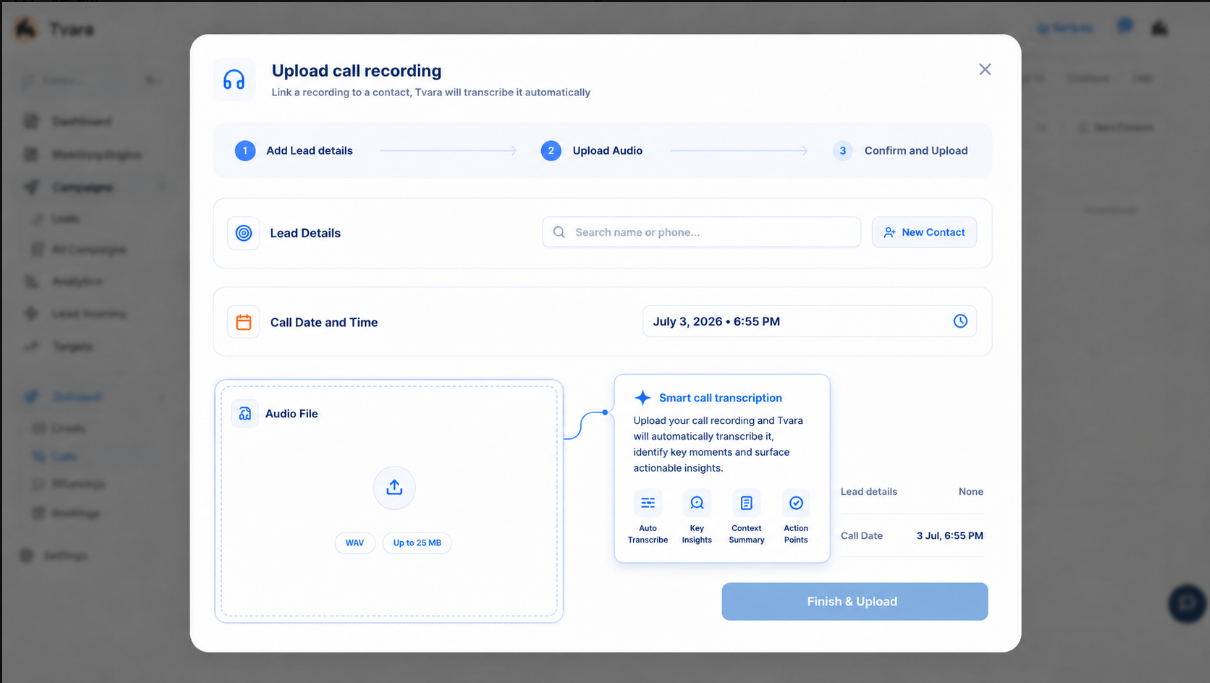
Bring outside recordings into the same intelligence workflow.
Calls made outside Signal do not have to remain disconnected. Upload an existing recording and let Signal analyse it, create the summary, identify the actions and preserve it against the relevant sales context.
Your team is calling. But is every call moving the deal forward?
Sales teams rarely lose context during the call. They lose it immediately after. Signal turns every conversation into a clear record, a clear understanding and a clear next step.
The rep forgets what the lead asked for.
Managers depend on verbal call updates.
Follow-ups happen late or not at all.
Every rep uses a different pitch.
Repeated objections are never tracked as a pattern.
Important context disappears when ownership changes.
Everything before, during and after the call stays connected.
Signal brings calling, scripts, recordings, transcripts, summaries and follow-ups into one continuous sales workflow.
Dial
Call leads directly from the same workspace where your team manages the conversation.
Guide
Give every rep a structured pitch, discovery flow, objection response and closing direction.
Record
Save each conversation against the right contact, campaign and call objective.
Understand
Turn recordings into searchable transcripts, clear summaries and call outcomes.
Act
Create follow-ups and recommend the next best action before context gets lost.
From the first dial to the next best action.
One simple flow keeps the call, the context and the execution connected.
Pick the lead
Open a contact from a lead list, campaign or scheduled follow-up.
Prepare the script
Generate a call flow using the offer, lead type and objective.
Make the call
Call directly from Signal without losing the lead context.
Capture the conversation
Record the call and save it against the right contact automatically.
Understand the outcome
Read the transcript, summary, objections and buying signals.
Take the next action
Send pricing, schedule a callback, book a demo or update the lead.
Before Signal, calls disappear after they end.
Calling without memory
Every call becomes useful data
Built for every team that sells on calls.
Sales reps
Call with more confidence using ready scripts, lead history and automatic summaries.
Sales managers
Review call quality, follow-up discipline and rep performance from one place.
Founders
Understand what is happening in sales calls without sitting inside every conversation.
Calling teams
Manage daily calls, callbacks, missed follow-ups and call outcomes with structure.
Campaign teams
Connect scripts, lead lists, conversations and outcomes to each outbound campaign.
Signal is built for the problems teams repeat every day.
Everything your team needs to know before the first call.
Does Signal record calls automatically?
Calls made through Signal can be recorded and saved automatically against the relevant contact or campaign.
Can I upload an existing call recording?
Yes. An uploaded recording can be transcribed, summarized and reviewed for action points and next steps.
Can Signal generate a call script?
Yes. Signal can prepare a script using the offer, lead type, campaign context and objective of the call.
What does Signal provide after the call?
Signal can provide the recording, transcript, summary, outcome, action points and a recommended next best action.
Can managers see the calling activity of the team?
Yes. Managers can review calls, outcomes, pending follow-ups, common objections and rep-wise activity.
Can Signal track callbacks and overdue follow-ups?
Yes. Reps can view calls due today, future callbacks, missed follow-ups and overdue actions.
Let your executives focus on the conversation. Signal handles what follows.
Dial from the platform, know exactly what to say, automatically execute what was discussed and give managers an instant view of every call.